


Foreword
This guide brings together the insights and experiences of cloud security professionals from enterprises around the world into a practical playbook. It’s grounded in their real-world experience of securing cloud environments, incorporating their lessons, strategies, and practical tactics.
Wrapped in the story of Gary Grit, a fictional, sharp-focused CISO, the guide leads the reader through asset mapping, managing misconfigurations, identity sprawl, lateral movement, and blast radius validation. Whether you’re securing AWS, Azure, hybrid, or multi-cloud, this guide gives you the tools and tactics to think like an attacker and defend like a Cyber GOAT (Greatest of All Time).
Introduction

Hey hey, it’s Gary Grit here, and in this cyber sequel, we’re herding clouds. Last week, one of our close industry competitors got hit by a breach that brought down their operations for a week! Geez, that would send me spiralling. The initial attack vector? An overly permissioned IAM role. Well, as much as it was bad news for them, it got me razor-focused on ensuring the security of our cloud infra, knowing we could easily be next!
I needed to know how attackers could break our cloud. Pentesting is clearly the right tool in the toolbox, but how could I improve on our practice and do it more efficiently?
I’ll put it bluntly: validating the security of cloud environments is a challenge. They’re sprawling and constantly evolving. Forget manually pentesting every inch. Not gonna happen. It’s like trying to count every blade of grass in a field. And let me tell you, these clouds don’t rain, they pour vulnerabilities.
To top that, you probably won’t be surprised to read that it’s been so difficult to hire skilled cloud-savvy defenders. There are just too few of those. That means my small, hard-working team is flooded with alerts that lack context, scrambling to identify the vulnerabilities that actually warrant their attention first. Finally, and this is a big one, our security tools are managed in silos. One’s good for on-prem, another for cloud, but when you look at the intersection? Crickets. And that’s where attackers slip through.
Oh, and just to make life more interesting, every public cloud provider has its Acceptable Use Policy (AUP). That means I can’t just gallop in and test what I want. Break the rules, and I might end up locked out of my own cloud.
And that’s why I decided to collect my notes and write this guide. To make cloud pentesting less of a mountain climb and more of a prance through the pasture, I’ve broken it down the GOAT way: simple, structured, and patently practical.
This is what I’ll be covering:
- Stage 1: Map and prep the estate
- Identify all the assets and resources
- Pentesting within the Acceptable Use Policy
- Stage 2: Identify points of risk and validate vulnerabilities
- Finding misconfigurations and determining their exploitability
- Assessing identities
- Stage 3: Assess and validate the blast radius across
- Accounts
- Providers
- On-prem to cloud environments and vice versa
- Stage 4: Report and apply remediations
- Fixing exposures systematically
- Communicating results and implications to stakeholders
Map and Prep My Estate

Before I can defend the cloud, I need to know what I’m actually defending, so I kick off the first stage by mapping the digital estate. This includes performing multi-cloud asset discovery and setting clear testing boundaries aligned with the rules of each Cloud Service Provider (or CSP).
Map Cloud Resources
If there’s one thing I’ve learned in this job, it’s that cloud infrastructure changes fast. Teams are constantly spinning up test instances, provisioning new identities, tweaking configs, and decommissioning resources, except they rarely tell anyone (or tag anything). So, I took a few steps to make sure I’ve got oversight across the full herd.
Automated Multi-Cloud Discovery
First move: bring in automated tooling that can scan everything across AWS, Azure, and even rogue GCP testbeds, breaking it down between subscriptions, resource groups, hostnames, and storage accounts. I’m talking about agentless, API-powered visibility with external recon to spot what CSPMs miss from the domain level. This is a big one, I make sure it’s all automatically synced every 12 hours to update our CMDB. This gives us near real-time visibility over our full inventory, across all cloud providers, on one consolidated screen. No more flying blind.
Log It All, Own It All
Every asset we discover, whether tagged or not, is documented in our new living and breathing CMDB. From here, we’ll start to track ownership, putting a name or a team to every asset. Later on, the team will assess the risk level and exposure of each asset.
Get Familiar With The Rules of Engagement
Before the team gets too click-giddy, I make them read the rules so they don’t wreck the ranch. And that’s where Acceptable Use Policies (or AUPs) come in. These are cloud provider versions of house rules. Break them, even by accident, and the consequences range from annoying (rate limiting) to catastrophic (account suspension or permanent ban). A single misstep in the cloud could entirely knock out workloads.
Here are each cloud provider’s AUPs:
Here’s a quick summary of what NOT to do:
1. Denial-of-Service (DoS) Testing – Banned across the board. Whether it’s stress testing a Lambda or flooding a port, it’s a hard no.
2. Brute-Force or Fuzzing Protocols – These can trip CSP alarms, trigger auto-throttling, or even escalate to abuse reports.
3. Cross-Tenant Scans – Even if I think I’m scoped properly, a misfire could land me in another customer’s backyard. Major red flag.
I’ve heard horror stories of teams that ran unaudited scans and got their accounts throttled mid deployment. So, I get the team to take the time to build a testing plan around what is allowed, staying well on our side of the shared responsibility model, targeting only our assets, and avoiding anything that even smells like a DoS.
Next, I get down into the trenches of identifying and validating cloud-based vulnerabilities.
Tip

Identify Points of Risk
and Validate Vulnerabilities

Now that my team has mapped the cloud estate and knows where all the hay stacks are, it’s time to figure out which fences are falling apart. The goal here isn’t just to find vulnerabilities, it’s to prioritize what’s exploitable and actually poses a risk. Because when time and resources are limited (and they always are), fixing what matters most is the difference between staying secure and getting stampeded.
Getting this right requires going beyond surface-level scanning. I need full visibility into exposures across the estate: compute, storage, serverless, containers, workloads, and identities. But I also must have context. Where do those exposures live? Do they touch critical systems? Are they exploitable? Do we already have compensating controls in place?
Managing the constant change in the cloud is a challenge. Teams spin up new workloads for testing, tear others down after lunch, and push config updates before they leave often without telling anyone. Ephemeral resources, user-created instances, and excessive permissions are all recipes for drift. And where there’s drift, there’s danger.
These misconfigurations are the cloud’s silent killers. And unlike CVEs, they rarely come with flashing lights or vendor advisories. So what can a GOAT do?
Validate Your Cloud (and then do it again)
Embrace continuous configuration validation. I don’t just check if something’s misconfigured, but whether that misconfiguration could be exploited. To do this, I use Pentera to test the extent of impact of all the misconfigurations mentioned above. I run a wide variety of different tests to check for any type of scenario, for example:
What’s the risk of leaving a service unpatched? Does it run the chance of being connected to external entities with excessive permissions or trust relationships?
Align With the MITRE ATT&CK Cloud Matrix
One time, my team found an open port that didn’t look critical because it seemed to have mitigating controls, so we dismissed it. I later realized it gave access to a server running an overly permissive role. To make matters worse, that role could reach a production DB.
I learned my lesson, and since then, I don’t look at these findings in isolation. I map them against the MITRE ATT&CK Cloud Matrix to see how attackers might chain them together into a realworld exploit path, from recon to privilege escalation to lateral movement and finally execution.
Overly-Permissive Identities
Ah, identity misuse, the underbelly of the cloud. While misconfigurations may leave the door open, identity misuse walks right through it, wearing a staff badge and unabashedly waving hello to all.
Here’s the thing, permissions alone don’t tell the whole story, it’s how they can be used that’s dangerous. A role might look harmless until my team emulates an attack and realizes it can assume another role, write to a sensitive storage bucket, or escalate to full admin – doing it all in just three hops.
Knowing this is an all-too-pervasive problem, I’ve mapped out these steps for managing identities and permission sprawl.
- Identify the Roles to Test
The team maps out who trusts whom and who can get into what. Given the number of over permissioned identities in our cloud, I get my team to focus on the roles that meet the following four indicators of compromise:- Touch critical resources
- Have weak trust configurations
- Enable privilege escalation
- Are re-used across environments
My logic is about shrinking the reach of each identity. If a token leaks, how far can the attacker take it? That’s what matters.
2. Take Stock of Where Your Tokens Are
Tokens aren’t always where I expect them. You’d be surprised how many are lying around in code, config files, containers, or stashed in some forgotten EC2 metadata. Do a sweep, best if it’s automated, to round them up. Store them in a proper secrets vault (like AWS Secrets Manager or Azure Key Vault), rotate them regularly, and keep ‘em short-lived and scoped.
3. Run a Gray-Box Scenario
The team runs gray-box scenarios using leaked tokens, keys, and user permissions to see how the identity could be misused, enable lateral movement, or pivot across accounts.
Tip
Assess and Validate the Blast Radius

Up to this point, my team and I have been busy finding cracks in the fence, be they misconfigurations or excessive permissions. But now it’s time to ask the question that separates theory from real risk: If an attacker got in… how far could they go?
This is where the real pentesting begins.
At this stage, I want to understand the extent of impact, the chain of escalation, lateral movement, and cross-account pivoting that a determined adversary could pull off after gaining initial access. Breaches never just stop at the front door. Attackers chain weaknesses before they exploit the terrain for all its worth.
That’s why my team emulates real-world attack paths and validates them across accounts, providers, and environments. Whether it’s compromised tokens, unsegmented networks, or shared resources, I want to know exactly how much damage one foothold can cause. I then always check in with our SOC team to see how they handle the emulated attacks we run during testing. Are they able to detect lateral movement? Do they escalate? What was the response time? It helps me close the loop and confirm that both sides, prevention and detection, are working in tandem.
Let’s go find the weakest link and see what breaks! But before we jump into testing across cloud accounts, check out this cheat sheet on validating lateral movement across cloud resources.
Testing Across Cloud Accounts or Tenants
Just because I think of my accounts as separate doesn’t mean attackers do.
So I ask the big question:
Can an attacker in Account/Tenant A pivot into Account/Tenant B? And what could they do once they’re in?
Spoiler alert: there is always at least one account where the answer is inevitably yes. So here’s how I tackle cross-account exposures:
1. Challenge the Segmentation Walls
Once the team gets valid tokens or access in one environment, I get them to attempt to:
- Access shared resources (buckets, DBs, compute) in other accounts, or in Azure, across subscriptions.
- Use network peering or transit gateways to reach adjacent regions
- Invoke roles or services that were unintentionally exposed via trust policies
If it ends up that Account/Tenant A can “talk” to Account/Tenant B, whether via permissions or pipes, this process ensures it gets flagged.
2. Exploit the Tokens, Follow the Pods
With the right IAM tokens in hand, my team pushes further to see where they can get access, especially in containerized environments. For example, a compromised token from one cloud account/subscription lets us interact with a K8 cluster in another. Once inside, we enumerated pods, and executed code on every pod that accepted that token’s permissions. One leaked token = multiple workloads compromised.
3. Audit Hybrid Identity Bridges
I check if shared auth systems (like Azure AD with cross-tenant trust or identity federation via SAML) allow attackers to leapfrog between tenants (or accounts). Just recently, we found roles in AD Connect that hadn’t been updated in years, granting permissions to frequently used dev subscriptions.
4. Standardize Where You Can, Test Where You Can’t
We document cross-account access paths using config files as our starting point, and build on that based on what we could achieve in our pentests.
Testing Across Cloud Providers
If managing one cloud feels like wrangling frenzied sheep during a thunderstorm, try managing two or three. AWS, Azure, GCP, and really all the public clouds each have their own APIs, identity models, network controls, and naming conventions. All the same, but all in a different language. It’s no wonder things slip through the cracks. Even when an environment looks clean in isolation, the moment I look across providers – shared infrastructure, inconsistent policies, and overlooked access paths pop up like weeds. All the more so when multiple clouds are tied to the same project or dev pipeline.
So here are my recommendations for a multi-cloud reality check:
1. Map it to MITRE
I encouraged the team to test provider-specific attack techniques against the MITRE ATT&CK Cloud Matrix. Each platform has unique control planes, still, the team needed to develop alignment and a common language across all clouds to determine how controls could be misused.
Each TTP on the matrix gives us a more standardized view of how attackers could operate within each cloud and where those boundaries might break down.
2. Chase Tokens Across Providers
Often, the same dev team manages resources in AWS and Azure for the same product. And guess what? We found tokens, access keys, credentials, and secrets reused across providers, sometimes hardcoded, sometimes stashed in Git repos or config files. I get the team to regularly check for this because, should these tokens get into the wrong hands, it’s easy to pivot laterally from one cloud to another. Cross-cloud compromise: confirmed.
3. Mounted File Systems Can Mean Mounted Risk
It’s common practice to share access to the same NFS/SMB mounts across different cloud workloads used for backups, logs, or staging files. So my team tests those mounts and confirms whether it’s possible to drop malicious payloads, plant scripts that would execute in one cloud when triggered from the other or harvest sensitive files left behind by dev or batch jobs. File-level lateral movement across clouds? Yep, it can get brutal out there.
Testing Across Environments
Cloud and on-prem are often managed by different teams, have different tools, and operate with different assumptions. But attackers? They don’t care about my org chart. If there’s a path from one to the other, they’ll find it and traverse it.
These are some of the common gaps I see between cloud and on-prem environments:
- Workloads that are implicitly trusted by on-prem systems, not requiring any revalidation of traffic or identity.
- VPN tunnels and peering links aren’t locked down.
- On-prem systems are still running legacy apps that can’t be supported by modern identity controls
With so many points for attackers to pivot, I need global visibility, not siloed snapshots, so I get the team to emulate full kill chains, starting in the cloud, pivoting to on-prem, and back again. The visualizations help our red team see the path of exploitation.
These are some of my techniques for bridging the gaps.
Test VPNs and Peering Links
The cross-environment connections were built for convenience, not for security – and there are many. The team scans and tests peering links, VPN tunnels, and Express Route-style paths, each time determining:
- Was segmentation enforced?
- Could cloud workloads initiate unauthorized traffic to internal resources?
- Are there fallback credentials or service accounts exposed on either side?
Federated Trust + Overprivileged Identities = Risk
AD Connect and similar tools create hybrid identity bridges. I look at where accounts have excessive permissions in both environments, and validate if a compromise in one domain can be used to escalate in the other. Spoiler alert: it often does.
Pivoting Across Environments
Attackers often perform credential stuffing to pivot between environments. So we test for techniques such as NTLM Relay or Kerberoasting that can give the needed foothold to move from on-premises systems into cloud services. Last time we ran this, a single stale credential that was found in a shared folder opened the door to a misconfigured cloud storage instance that hadn’t been audited in months.
Legacy Apps Need Extra Love
Shifting through the on-prem environment, some of our apps are still legacy, where it’s not possible to use Kerberos authentication between the cloud and on-premises. So instead. I use anonymous authentication protected by perimeter security like firewalls (hello, Fortinet).
Next up, I tie it all together, how to report findings that cut through the noise, show real impact, and drive precise fixes.
Tip
Report and Apply Mitigations

By this stage, the gaps are exposed, and potential lateral movement is as clear as a pig trail through a cornfield. Now comes the part that separates the wheat from the chaff.
Fixing what matters, then proving it’s fixed.
This stage involves translating all the findings into focused, prioritized actions. The goal is to support the IT team with applying precise mitigations, addressing only the vulnerabilities, no matter how seemingly benign, that enable a pathway to real risk.
On the flip side, to executives, I need to show another story; how, in no uncertain terms, security posture is improving. That means cutting through the noise, being able to communicate the “why” behind any fix, and measuring progress in terms that both engineers and executives can rally behind.
Applying Remediations
By the end of scanning, probing, and emulating attacker moves, we had what every security team fears most: a very long list of problems.
I have to be realistic and pragmatic about getting the cooperation and buy-in from the dev teams to implement many of our fixes. If I dump a long PDF into the ticketing system, this will leave them drowning in tasks, unsure of what needs their urgent attention, and not knowing where to start. I have to provide context so they understand the clear impact. Otherwise any support or goodwill may run out before a single patch is applied.
This is how I turn chaos into clarity and ensure flaws get flattened:
Only Fix What’s Proven Exploitable
No more chasing CVSS 9.0 scores just because they’re red. I keep the team focused on vulnerabilities that were actively exploited during our pentests. If a finding didn’t tie into an attack path, it’s deprioritized. Period.
Show the Full Story
With every exposure to be fixed, I also show:
- The root cause, highlighting the early-stage vulnerability that allows the whole attack to unfurl
- The attack path, e.g., token used to access storage > pivoted to DB > accessed customer data
- The business impact, e.g., “this would have exposed payroll data”
This sequence of Root Cause > Exploit > Impact helps everyone understand the why behind the fix, from DevOps to Execs.
Keep it Relevant
My team has nailed a process to scrub the noise, retires stale tickets, and hands off a tight list of fixes that is relevant just to that DevOps team through ServiceNow. No guessing, no duplicates, just a clear to-do list that relates only to their cloud infra.
Measuring Performance and Reporting to Business Stakeholders
Simple as it may seem, I find this last part hard. Not because it’s technically complex, but because turning raw cyber data into meaningful business insights takes finesse. And let’s be real, telling Execs, “I’ve reduced CVSS 9.0s by 32%,” doesn’t exactly win hearts and minds.
Business leaders don’t speak in payloads and privileges, they speak in risk, cost, and operational continuity. So, this work is all about translating technical progress into a clear narrative: what’s the threat, what I did to reduce risk, and how the business is safer because of it.
After years of experience, this is what I do to make the metrics matter.
Translate Cloud Jargon into Business Impact
I don’t talk about S3 misconfigs or IAM role chaining, I talk about what’s at stake and connect the vulnerabilities to the business units or projects they support.
“We found an exposed S3 bucket that was accessible through a weak IAM role policy” becomes > “Customer data in software used by the CS team was at risk of public exposure.”
Make the impact clear, be it operational disruption, regulatory fines, or trust erosion.
Use Metrics That Show Movement Over Time
Static scores don’t tell a story. But posture over time does. I use KPIs that I can validate to show:
- Fewer exploitable attack paths to critical assets
- Higher resilience scores in each iterative test
This keeps me focused on the long-term trend, not the isolated alerts or incidents.
Tip
Closing Note

Cloud pentesting isn’t about flooding dashboards with alerts. It’s about automating the stuff attackers actually do and then fixing what matters most. Fast.
Forget the “maybe” risks. Focus on what’s actually exploitable, map the blast radius, and run the test-remediate-repeat loop until my cloud’s tighter than a barn door in January.
Now, if you’ll excuse me, I’m off to a goat retreat that involves a hammock, several hay beers, and zero notifications.
Signing off for now as a full-time cyber GOAT,
Gary Grit, Head of Cybersecurity
Grazing, Inc.

Appendix:
The Ultimate Cloud Pentesting Checklist
STAGE 1: Map the Territory
- Enumerate cloud assets across AWS, Azure, Kubernetes, and IaC.
- Detect shadow resources, exposed dev environments, and unmanaged workloads
- Cross-check CSP penetration testing AUPs to ensure you don’t infringe on the shared responsibility model
STAGE 2: Validate Risk Pillars
- Detect and emulate cloud misconfigurations (e.g., public S3, open ports, exposed IMDS)
- Test for excessive identity entitlements and escalation paths using compromised tokens or highly priviledged roles
- Confirm if there is access to exposed secrets, credentials or API keys (in code, logs, Lambda envs, and open DBs)
- Contextualize findings through alignment with the MITRE ATT&CK cloud matrix
- Prioritize exposures that lead to identity compromise, data exfiltration and lateral movement
STAGE 3: Identify the Blast Radius
- Validate the impact of exposures in the live environment with adversarial testing
- Test lateral movement across resources including ephemeral resources
- Challenge the effectiveness of segmentations across cloud accounts
- Run Kubernetes-specific scenarios (e.g. RBAC privilege escalation, namespace traversal)
- Run emulated attack chains using shared resources that are used in environments within different CSPs
- Assess the potential for lateral movement across cloud on-prem infrastructure using SSM, stolen tokens, misconfigured VPNs or peering links
STAGE 4: Prove Your Security Posture
- Define KPIs (coverage %, exploitability trends, time-to-remediate)
- Confirm with the SOC that they have detected and responded to threats
- Generate automatic reports for your technical and DevOps teams, that direct them only to the relevant mitigations that they need to fix
- Generate AI-driven reports for your executives that summarize posture improvements, exploitability trends, and security score deltas over time
More GOAT Wisdom Awaits
Explore the Rest of the GOAT Guide Series –
your essential playbooks for mastering cyber resilience
The ultimate guide to exposure management
What’s Inside?
- A 12-week plan to establish an Exposure Management (CTEM) program
- Recommended security tools, practices, and use cases
- Tips for managing people when implementing security changes

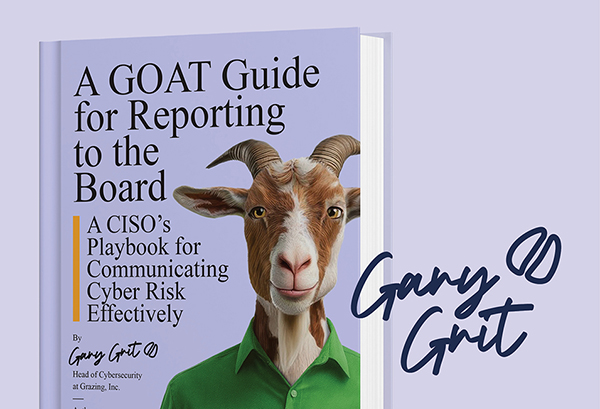
A CISO’s playbook for communicating cyber risk effectively
What’s Inside?
- 8 tactics that translate security issues into business terms your board understands
- Practical tips to communicate in ways that influence Board decisions
- 3 templates to present information clearly and confidently


Pentera is the market leader in AI-powered Security Validation, equipping enterprises with the platform to proactively test all their cybersecurity controls against the latest cyber attacks. Pentera identifies true risk across the entire attack surface and automatically orchestrates remediation workflows to effectively reduce exposure. The company’s security validation capabilities are essential for Continuous Threat Exposure Management (CTEM) operations. Thousands of security professionals around the world trust Pentera to close security gaps before threat actors can exploit them.
Key aspects of Pentera’s exposure management approach include:
- Comprehensive attack surface mapping: Get full visibility of external and internal assets to uncover blind spots across your networks, endpoints, and cloud environments.
- Automated attack emulation: Conduct continuous penetration testing across the entire attack surface, mimicking attacker techniques to identify exploitable vulnerabilities and misconfigurations in your security defenses.
- Prioritize based on real risk: Score the vulnerabilities based on their exploitability and potential business impact, so you can focus resources on the most critical exposures. Provide relevant teams with clear recommendations for effective mitigation.
- Integration with security ecosystem: Seamlessly integrate Pentera with your existing security tools to streamline workflows, enhance remediation efforts, and automate vulnerability management processes.
Pentera’s approach ensures organizations can proactively manage their exposure, minimize risks, and strengthen their defenses against active cyber threats. For more information: Pentera.io
All company names, trademarks, and registered trademarks mentioned in this article are the property of their respective owners, and are used for descriptive or informational purposes only. Their inclusion does not imply any affiliation with or endorsement by them.
This document is the property of Pentera Security, Inc. and is protected under copyright law. Unauthorized reproduction, distribution, or use of this material is strictly prohibited. For permissions or inquiries, please contact Pentera.